
Technology plays a larger role in daily life than ever before, including for older adults. Internet-connected devices with big screens help seniors stay informed, connected, and independent.
As a result, interest in free tablet for seniors programs continues to increase. Many older adults want to know whether assistance is available, how they may qualify, and what steps are required to apply.
While there is no nationwide program dedicated exclusively to seniors, several communications assistance programs and participating providers may offer device opportunities for eligible individuals.
1. Can Seniors Get a Free Tablet?
Yes, some seniors may qualify for a free tablet for seniors opportunity through participating providers that support eligible consumers.

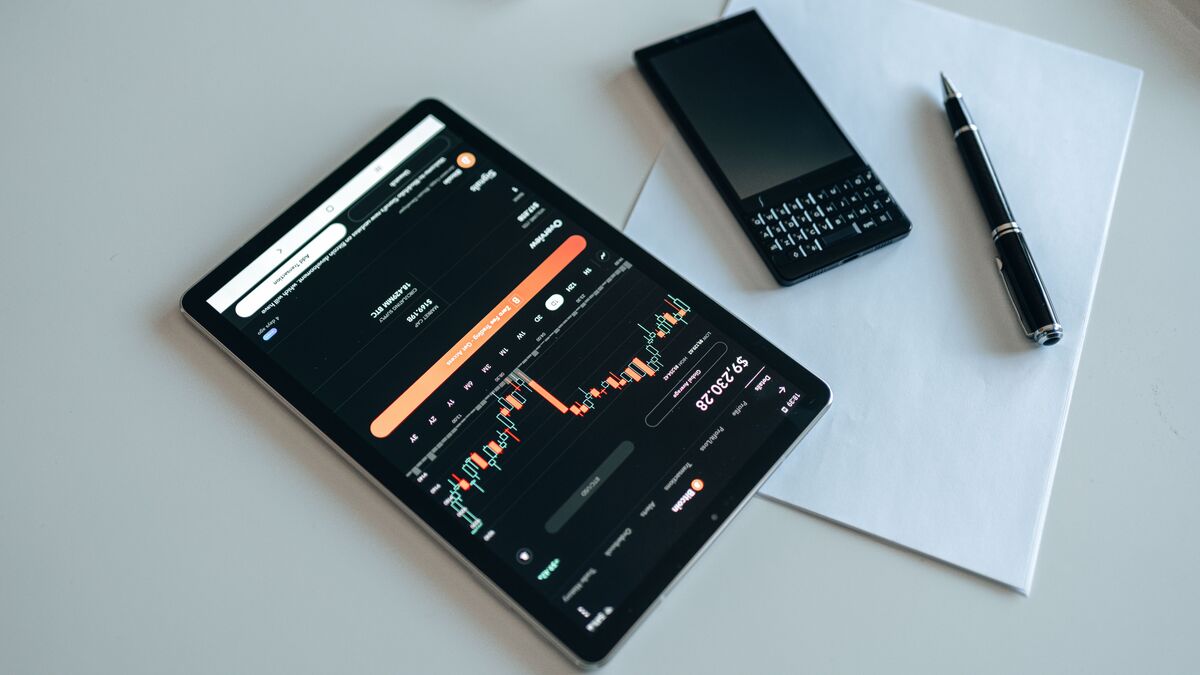
(Image by Pexels)
The most important factor is not age alone but whether the applicant meets the qualification requirements used by communications assistance programs.
What Programs Can Help Seniors Qualify?
There is something you should know. There is no federal program hand out free devices or tablets to people. That’s not really how things work.
But the chances are still there; you just need to understand how the opportunity works.
In terms of connectivity support, the Lifeline program is a federal assistance program that supports eligible households to have secured, stable connection to the digital world by offering a monthly discount on phone service or internet service.
The program does not work alone. It partners with providers and carriers, who then integrate the aforementioned discount into their service plan. And that’s when the free device offers appear.
These providers and carriers take a step further to ensure the support is more sustainable by offering a free device.
But the tablet, to be fair, is still considered a premium device, so if the offer appears, it will be at a discounted price, not completely free.
To gain access to that free opportunity, seniors need to first be eligible for the Lifeline program. Commonly, there are two pathways:
One is that they have participated in assistance programs that are commonly accepted by Lifeline-supported providers.
Examples may include:
- Supplemental Security Income (SSI)
- Medicaid
- SNAP / EBT
- Veterans Pension Benefits
- Survivors Pension Benefits
- Certain Tribal assistance programs
The other is income-based eligibility, which may also provide a qualification pathway for seniors whose household income falls within current federal guidelines.
Because eligibility requirements vary slightly by provider, it is helpful to verify qualification before reviewing device offers.
Many applicants searching for a free government tablet for seniors discover that they already qualify through a benefit program they currently receive.
2. What Can Seniors Use a Tablet For?
A tablet can support a wide range of everyday activities without requiring the complexity of a traditional computer.
Tablets have become a quiet staple in many seniors’ daily lives. Some use them to video call family or just hear a familiar voice.
Others log in to check on healthcare benefits, track appointments, or stay on top of their coverage.
And for many, it’s simply a way to read the news or unwind with something to watch.
This versatility is one reason why demand for free tablet for senior citizens programs continues to grow among older adults looking for affordable technology solutions.
>>> Read more: Free Tablet Program for Low Income Households: Don’t Miss The Support
3. What Features Should Elderly Citizens and Seniors Look for in a Tablet?
Not every tablet is equally suitable for older users.
When evaluating available devices, seniors often benefit most from tablets that prioritize ease of use rather than advanced technical specifications.
Larger Display and Readability
A larger screen can make reading text, viewing photos, and navigating websites more comfortable.
Features that may improve usability include:
- Larger displays
- Adjustable text sizes
- Clear icons
- High-contrast viewing modes
Strong Battery Life
Frequent charging can be inconvenient for some users.
A tablet with dependable battery performance may be easier to use throughout the day without constant recharging.
Simple Navigation
Many seniors prefer devices with straightforward menus and intuitive controls.
Easy navigation can make activities such as video calling, web browsing, and reading much less frustrating.
App Compatibility
The best tablet should support commonly used applications, including:
- Telehealth platforms
- Banking apps
- Video conferencing services
- Streaming platforms
- Email applications
When comparing options, the best free government tablet for seniors is often the device that comfortably supports these everyday activities rather than the newest or most expensive model.
Reliable Connectivity
A tablet becomes significantly more useful when paired with dependable internet access.
For this reason, seniors evaluating free government tablets for seniors should also consider the wireless service benefits available alongside the device.
>>> Read more: Does the Free Government iPad Tablet for Low Income Households Really Exist?
4. Where Can Seniors Check Available Tablet Options?
Once eligibility is confirmed, the next step is reviewing available device options through participating providers.
AirTalk Wireless is one provider many seniors consider because it offers an online enrollment process and regularly updates device availability.
Depending on inventory, available options may include tablets, smartphones, and other connected devices.
The application process generally follows four steps:
- Enter your ZIP code on the AirTalk Wireless website to confirm service availability and see what plans and device offers are currently listed in your area.
- Check the options available for seniors. AirTalk Wireless occasionally carries discounted tablets through the Lifeline program, but offers vary by location and tend to move quickly. If one is listed in your area, select it and move on. If not, move to another reasonable alternative, like a smartphone for seniors, or you can keep monitoring and wait for new inventory.
- Fill out the application with your essential details. Most eligibility checks are handled automatically, but if verification fails, the system will ask you to upload a few supporting documents before proceeding.
- Submit and wait for approval. Once approved, your selected device ships directly to your address, with delivery typically taking 7 to 14 business days.
Note: Eligibility varies by state and program. Offers depend on availability and qualifications. AirTalk Wireless operates under the federal Lifeline Program as an Eligible Telecommunications Carrier (ETC). Service is non-transferable and limited to one service per household.
5. Tips to Make the Application Process Easier
Applying for a free tablet for seniors can be much smoother with a little preparation.
- Gather Documents Before Starting
Having identification and eligibility documents ready can help avoid delays.
- Double-Check Personal Information
Ensure names, addresses, and other details match supporting documents.
- Use an Active Email Address
Providers often send application updates electronically.
- Review Device Availability Early
Checking inventory before applying helps set realistic expectations.
- Ask for Assistance if Needed
Family members, caregivers, or provider support teams may help seniors complete online applications more comfortably.
6. Conclusion
A free tablet for seniors can provide valuable access to healthcare resources, communication tools, educational content, and online services.
Although age alone does not guarantee eligibility, many seniors qualify through assistance programs or income-based pathways.
By reviewing qualification requirements, comparing available providers, and preparing documents in advance, older adults can improve their chances of successfully obtaining a device and staying connected in 2026.